Improve Builder Subnet onboarding UX
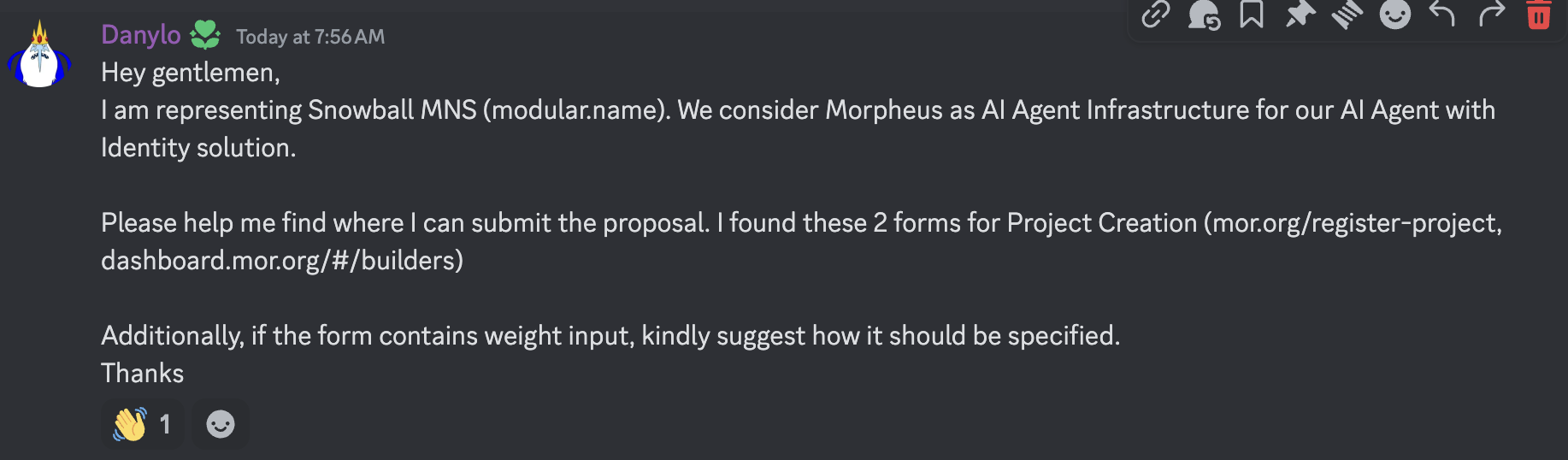
When Builders seek to register a subnet and get whitelisted on Morpheus, they see two forms.
UI 1 - the “Become a Builder” form to register the subnet using the dashboard (link)
UI 2 - the “List Your Project” form found in the mor.org navigation (
https://mor.org/register-project )
It should be more clear to the Builder which form to use and for what purpose. Currently, it seems like each form serves the same purpose.
UI 1 Purpose — this is simply a tool to create a new builder subnet inside the smart contract. it is a prerequisite for whitelisting in that the subnet must exist onchain.
UI 2 Purpose — this is currently collecting key data on Builders, but the data has not bee incorporated downstream.
Exhibit A:
Log in to comment and vote
Comments1
Anton B
Jun 11, 2025
Thanks for the feedback.
Updated dashboard has only one button and 2 step registration process.